
Free gameplay overlay
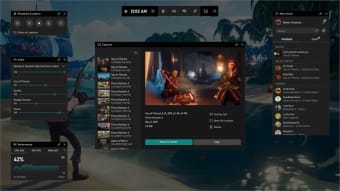
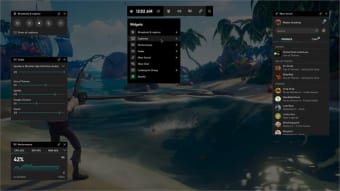
Xbox Game Bar is a versatile gameplay overlay that comes pre-installed with Windows 10 and fits with almost all PC titles. This gaming utility was created to capture video game footage, but it can be used for any form of video capture. With this, there is no need to download third-party software like Snagit or Bandicam.
Top Recommended Alternative
.png)
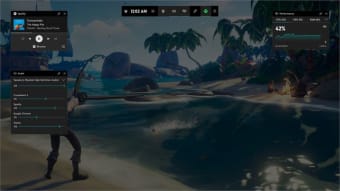
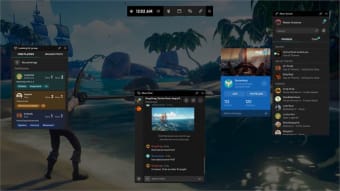
The Xbox Game Bar also includes sound modulation options for different outputs, such as background applications and chats, and the ability to discover new teammates. To use it, you need one of three encoders: Intel Fast Sync H.264, Nvidia NVENC, or AMD VCE encoders.
What does the Xbox Game Bar do?
The Xbox Game Bar, as its name implies, has been optimized for game-play capture, which means you'll need to start playing a game on Windows 10 before you can start recording it. Keep in mind that this feature is only used in Windows 10 build 1903, so don't expect to use it in later versions. After that, begin recording the game and get the game up and running.
You'll want to start the game bar so you can start recording gameplay videos. This is fairly easy to do, and it does not include any complex procedures. To open the overlay, simply press the Windows logo key + G hotkey. This one will assist you in managing the active overlays by allowing you to toggle them on and off according to your preferences.
When the game bar does not show, it is normally due to the game failing to identify the keyboard shortcut or controller button being pressed. There are a few simple solutions to this. The game bar can appear while you are playing the game in windowed mode, but if you return to full screen, it will either stop capturing or vanish from the screen.
Easy-to-use screen-capturing tool
Overall, the Xbox Game Bar performs admirably, has a user-friendly interface, and has all of the essential features. However, if you can't see the Windows 10 Game Bar, you won't know if you're capturing until the game session is over. This is inconvenient since certain other programs consistently appear as intended.